Why Is ShortMax Charging You?
A shortmax innovations charge usually points to a payment connected with ShortMax, even if that exact name does not match the app name you remember. The fastest way to deal with it is to identify where the payment was created first: Apple, Google Play, the ShortMax app, or a direct card or wallet checkout.
What is ShortMax Innovations?
ShortMax Innovations appears to be a billing or merchant name that may show up on card statements, wallet activity, or bank records for payments related to ShortMax. That is why the charge can feel unfamiliar: the app name, store listing name, and payment descriptor may not all be identical.
A name seen on billing records
You are more likely to notice ShortMax Innovations in your bank app than inside the ShortMax app itself. Billing descriptors are written for payment processing, not always for easy customer recognition.
Often linked to ShortMax charges
If you recently installed ShortMax, started a trial, bought coins, or unlocked paid content, a ShortMax Innovations entry may be connected to that activity. This is especially easy to miss with short-drama apps because small purchases can happen quickly while you are trying to continue an episode.
Not the official app developer name
ShortMax Innovations is not necessarily the public developer name you will see in an app store listing. Searching only that exact phrase in the App Store or Google Play may not give you the answer, which is why many people think the charge has no connection to the app.
The better test is the billing route, not the name alone. Look at receipts, subscription pages, wallet permissions, and card records together.
ShortMax is operated by related companies
ShortMax may appear under related company names depending on where the payment was handled. One person may see an Apple-related record, another may see a Google Play name, and someone who paid directly may see a different merchant descriptor.
Is ShortMax Innovations the same as ShortMax?
For billing purposes, ShortMax Innovations is usually connected to ShortMax, but it is not the same thing as the app name you tap on your phone. ShortMax is the streaming app; ShortMax Innovations may be part of the payment identity shown by your bank or card provider.
ShortMax is the streaming app
ShortMax is the short-form drama streaming app. People usually remember the app experience—short vertical episodes, paid access, coins, or VIP viewing—but not the company name that later appears on a billing record.
SHORTTV LIMITED appears on Apple
On iPhone or iPad, ShortMax-related purchases may appear under SHORTTV LIMITED in Apple records. If you subscribed through Apple, check both Subscriptions and Purchase History, then compare the dates and amounts with the bank charge.
SHORTMAX LIMITED appears on Google Play
Android users may see SHORTMAX LIMITED in Google Play records. If Google handled the payment, cancellation normally has to happen through your Google account rather than through your bank or by deleting the app.
Why is ShortMax Innovations charging me?
The most common reason is an active ShortMax payment: a subscription, a free trial that converted to paid billing, a direct card plan, or a content purchase made through another checkout route. The key question is not just "What is this name?" but "Where did this payment start?"
- iPhone user: check Apple Subscriptions and Purchase History first.
- Android user: check Google Play Subscriptions and Order History.
- No app-store record: check PayPal, wallet permissions, card authorizations, and receipt emails.
- Shared device or card: ask whether a family member unlocked episodes or started a trial.
An active ShortMax subscription
A repeating monthly or weekly charge usually suggests an active subscription. The plan can keep billing even if you stopped watching or removed the app from your phone.
Automatic subscription renewal
Auto-renew means the payment continues until it is properly turned off through the correct billing channel. A free trial may also become paid when the trial period ends, depending on the terms shown at signup.
Look for wording such as "renews," "expires," "cancelled," or "active until." You want proof that the plan will not renew again, not just proof that the app is no longer installed.
A direct payment plan
A direct payment plan can explain why ShortMax is not showing in Apple or Google subscriptions. If you entered card details, used a wallet checkout, or approved a merchant agreement outside the store system, the renewal may sit with that payment provider instead.
A purchase made through another channel
Some charges may come from a web checkout, promotion page, coin package, or episode unlock rather than a normal subscription screen. In that case, your best clues are the receipt email, the transaction date, and the exact merchant descriptor on your statement.
How to cancel a ShortMax subscription
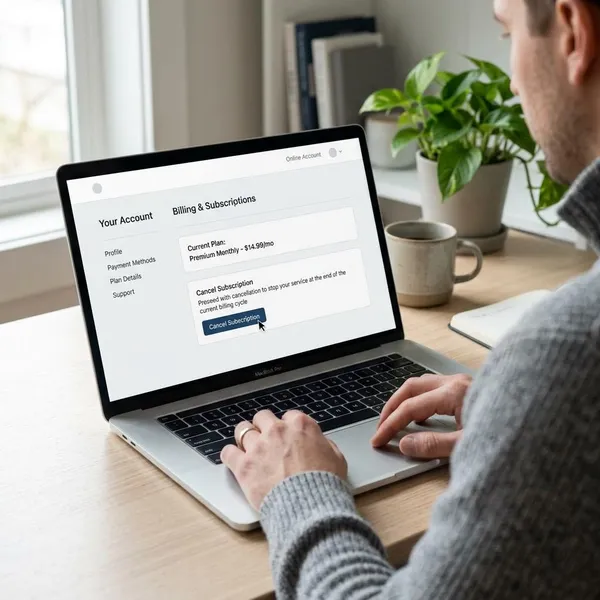
Cancel through the same route used to start the payment. That is the practical rule that prevents wasted time: Apple payments are handled in Apple settings, Google Play payments in Google, and direct card or wallet payments through the original payment provider or ShortMax support.
Cancel through the ShortMax app
Open ShortMax and check your profile, account, VIP, membership, wallet, billing, or subscription area. The app may show whether your plan is active, when it renews, or whether the subscription is managed by Apple, Google Play, or another payment channel.
Take screenshots before and after changing anything. If the app only points you to another platform, follow that route instead of assuming the app screen completed the cancellation.
Cancel through Apple
- Open Settings on your iPhone or iPad.
- Tap your Apple ID name.
- Tap Subscriptions.
- Look for ShortMax, SHORTTV LIMITED, or a related listing.
- Tap the subscription and choose Cancel Subscription.
If nothing appears there, check Apple Purchase History as well. A missing subscription can mean the payment was one-time, already expired, or not managed by Apple at all.
Cancel through Google Play
Open Google Play, tap your profile icon, then go to Payments & subscriptions and choose Subscriptions. If ShortMax or SHORTMAX LIMITED appears, open it and cancel the plan.
After cancellation, keep the confirmation email or screenshot. If ShortMax does not appear, review Google Order History before moving on to direct billing checks.
Cancel through the original payment channel
If Apple and Google show nothing, treat the charge as a possible direct payment. Check PayPal automatic payments, digital wallet merchant permissions, card-on-file agreements, and recurring payment settings with your bank or card issuer.
Contact ShortMax support
Contact ShortMax support when the billing route is unclear or when cancellation screens do not stop the charge. Send the merchant name, amount, date, account email, payment method, and any screenshots you have.
Ask for one specific thing in writing: confirmation that auto-renew is off and no further charges are scheduled. A clear written answer is much more useful than a general support reply.
What if ShortMax keeps charging you?
If charges continue after you tried to cancel, assume one billing path is still active until you prove otherwise. Recheck Apple, Google Play, direct card permissions, PayPal, wallet authorizations, and email receipts, then build a simple timeline of what happened.
Confirm auto-renew is off
Look for a screen or email that says the plan is cancelled, expired, or will not renew. If all you did was delete the app, log out, or stop watching, the billing may still be active.
Save cancellation screenshots
Save screenshots of subscription pages, cancellation confirmations, support messages, receipts, and bank transactions. Put the date and amount in the file name if you can, so the timeline is easy to follow later.
This is especially useful when the billing name does not match the app name. It helps you show that ShortMax, ShortMax Innovations, SHORTTV LIMITED, or SHORTMAX LIMITED are part of the same billing issue you are trying to resolve.
Contact ShortMax support again
A second support message should be short and factual. Include your previous request, the new charge date, the amount, and the proof that you already cancelled or could not find an active subscription.
Ask whether any direct merchant agreement remains attached to your account. That question is more useful than simply saying you want the charge to stop.
Ask your bank about the charge
Your bank or card issuer can tell you whether the transaction looks recurring, card-not-present, wallet-based, or merchant-authorized. Ask whether they can block future charges from the same merchant descriptor if support is not resolving it.
Dispute unauthorized transactions
Dispute the charge if you did not authorize it, if someone else used your payment method without permission, or if billing continued after you have proof of cancellation. Provide the bank or payment service with screenshots, receipt records, support messages, and the cancellation date.
Be precise about the problem: unknown merchant, duplicate charge, post-cancellation billing, or unauthorized purchase. A clear category makes the dispute easier to review.
Conclusion
A ShortMax Innovations charge is usually not a separate mystery service; it is more often a billing name tied to ShortMax through a subscription, trial renewal, direct payment, or content purchase. Start by finding the original payment route, then cancel there and keep proof. If the charge does not match your activity or continues after confirmed cancellation, treat it as a payment issue and involve support or your bank quickly.